Postponed release
This release has been delayed to 2026-10-08, shifting from the initial date of 2026-10-06.
Release Notes - New Navigation, AI Chat Workspace & Custom Noketaker Names
We’re refreshing Meetric’s desktop navigation and bringing back custom notetaker names for Microsoft Teams. The new sidebar makes it easier to find your tools, return to previous AI chats, and move between everyday tasks - all from one place.
Custom notetaker names are back in Microsoft Teams
We will reinstate support for custom notetaker names in Microsoft Teams meetings on October 6.
If your organization previously used a custom notetaker name, it will be restored automatically. No action is required. The notetaker will use your existing company and tenant settings the next time it joins a supported Microsoft Teams meeting.
Name format and settings
The notetaker name uses this format:
[Company name] - Powered by [Tenant]
To change it, go to Settings → Account, update the Company name field, and save your changes.
Microsoft Teams only
Custom notetaker names are not currently supported in Google Meet. The available naming options depend on the limitations Microsoft and Google set for notetakers joining meetings, and may change if their platform policies or capabilities change.
Left menu navigation
Clearer desktop navigation
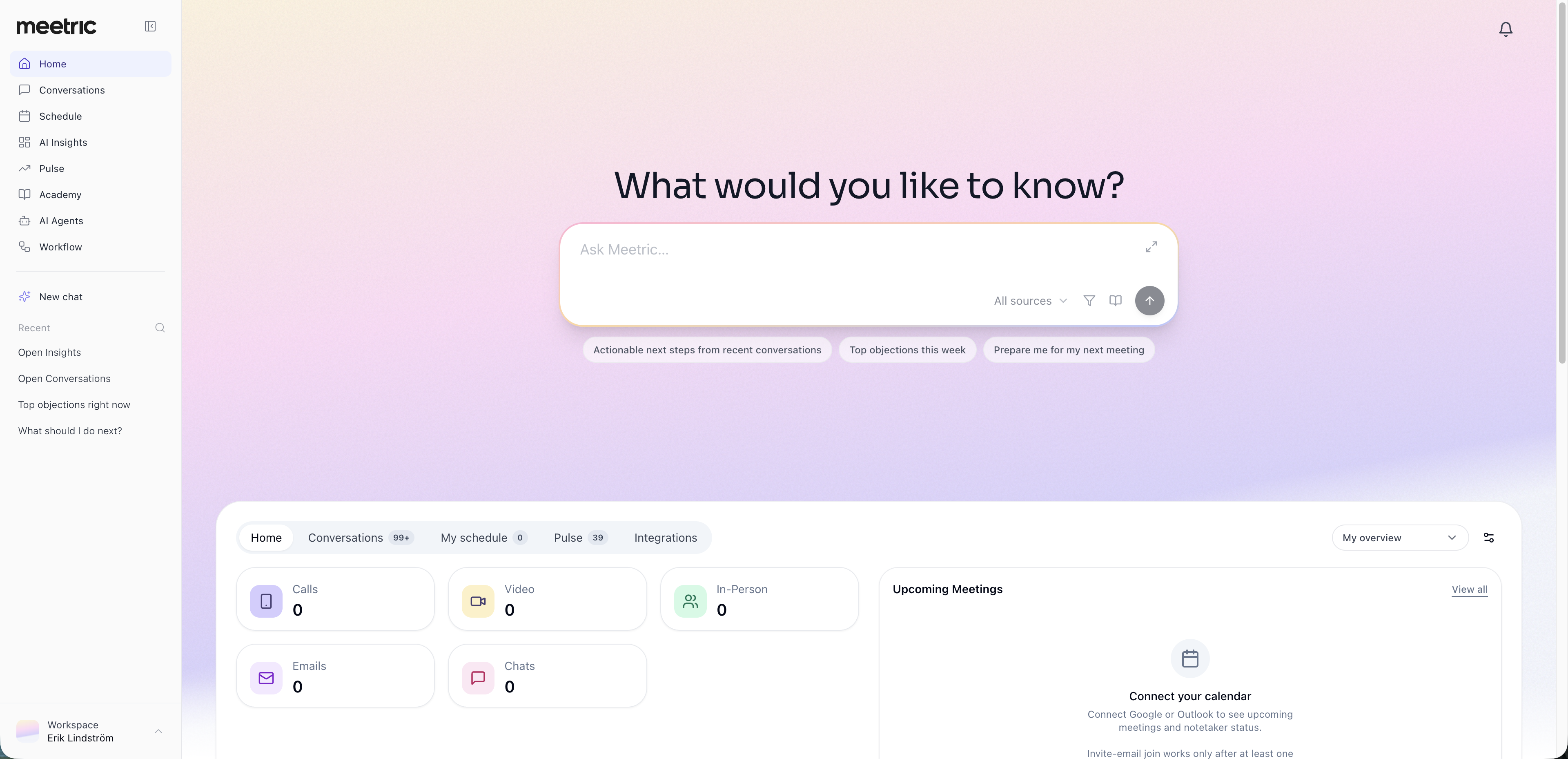
The sidebar replaces the app shortcuts in the top bar with clearly labelled destinations, making it easier to see where you are and where to go next.
Everyday tools within reach: Open Home, Conversations, Schedule, and AI Insights directly from the sidebar.
Additional tools under More: Find AI Agents, Pulse, Academy, and Workflow, depending on your access.
Flexible layout: Expand the sidebar to see labels and chat history, or collapse it to a compact icon view for more working space.
Workspace controls at the bottom: The Workspace menu moves from the top-right corner to the bottom of the sidebar. Open it to switch accounts, access Settings, change your theme, find documentation and support, or log out.
Easier access to AI chats
The AI chat previously shown on the right is now available from the Ask AI button in the page header. Open it when you need help, and close it to give your content more room.
Your AI chat history is now available directly in the expanded sidebar.
Start a new chat: Select New AI chat to begin a fresh conversation.
Continue earlier work: Open chats from the sidebar preview, with favorites shown first.
Find previous chats: Select View all to browse your chat history and search active and archived chats by title.
Chats opened from the sidebar appear in a dedicated AI workspace, with navigation still available. Use the back button to return to the page or chat history you came from.
Simpler navigation within Conversations
We’ve reorganised existing conversation views to make them easier to find.
Shared with me moves alongside My conversations, My team, and Everyone I can see.
Shared links, Snippets, and Comments are grouped under More on the Conversations page.
Sharing just got easier
We rebuilt sharing to make it faster, safer and much more flexible. As teams grow, sharing a meeting or customer conversation is no longer just about sending a link — it is about giving the right people access to the right content, with the right permissions.
A cleaner UX and UI for sharing — the main update is a redesigned sharing experience that makes every step clearer, faster and easier to use, from choosing recipients to reviewing what will be shared.
Share with the right people in seconds — use the new expandable org tree and search to select a single person, a team or an entire department without guessing who should be included.
Why we made this update
This release is designed for teams that need to collaborate quickly without losing control. Customers asked for more granular sharing, clearer recipient permissions and a better way to manage access after something has been shared. The new sharing experience gives admins and users a stronger, more transparent workflow — built for everyday collaboration, customer handovers and security-sensitive conversations.